
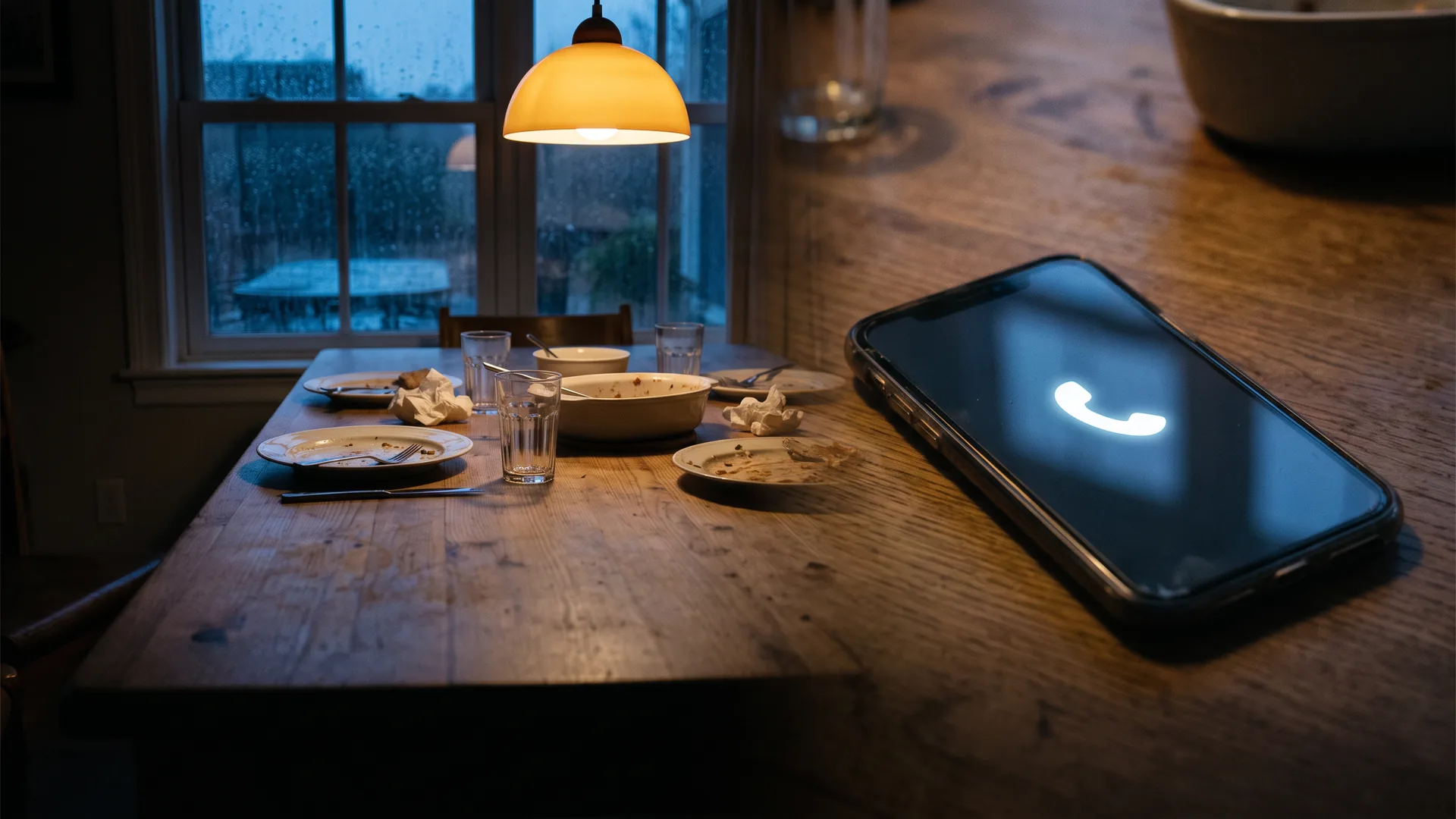
An Ontario non-profit had every call landing on one person's phone, including the evening ones asking whether a registration had gone through. Here's the $10-a-month Canadian system I put in instead, what the enterprise version costs, and what I charge to install it.
Every call to the main number was landing on one person’s phone. Plenty of it came in the evening: someone wanting information about a program, or checking they’d actually been registered for one, or that their appointment was booked.
Big companies solve this with a phone system that costs more than most small operations spend on rent. Here’s what that version costs, what I put in instead, and what the whole thing came to.
What the big guys bought
The enterprise answer is a cloud PBX, and RingCentral is the one you’ll be quoted. I read these off their Canadian page on 31 August 2026. Core is $30 per user per month paid annually, or $40 month to month. Advanced is $35 and $45. Ultra is $45 and $55. An AI Receptionist add-on starts at $55.
Nowhere on that Canadian page does it say what currency those are in. Review sites quote C$30, C$35 and C$45, which are the annual-prepay prices with the “paid annually” dropped off. Read the toggle before you budget.
The other shape this takes is a system installed in the building, usually Cisco or Bell VoIP. Both get bought at 100 people and up, and they earn their money once you have offices in different cities or provinces.
What they’re paying for is simple enough. A call to the main number reaches whoever should take it, wherever that person happens to be, and nobody has to hand out a personal mobile number to make that work.
For four people on RingCentral Core, prepaid, that comes to $120 a month. $1,440 a year, before a single add-on.
What I built instead
An Ontario non-profit, somewhere between two and six people depending on the week. Mostly volunteers, a few part-time staff. No office, no reception desk, everybody working from home.
What I was told, paraphrased from the brief I was given:
Every call comes to my phone and it’s unmanageable, we need to spread them across volunteers and part-time staff, we need to be able to transfer a call to someone else, and when nobody can take it we need voicemail we can see on our phones or get by email.
Four or five calls a day. That’s the owner’s estimate, and nothing was being logged, so treat it as an impression rather than a figure.
It had been like that since the organization started, several years back. While it stayed small nobody minded. The problem arrived as it added programs and services.
For a non-profit the damage lands on reputation rather than revenue. People with questions about a program couldn’t get answers, and an organization that can’t answer questions can’t deliver the service it exists to deliver.
I put in FongoWorks on the Pro plan. Four members, extensions 100, 101, 102 and 113, each one a department rather than a person, so a volunteer rotating off doesn’t break the routing.
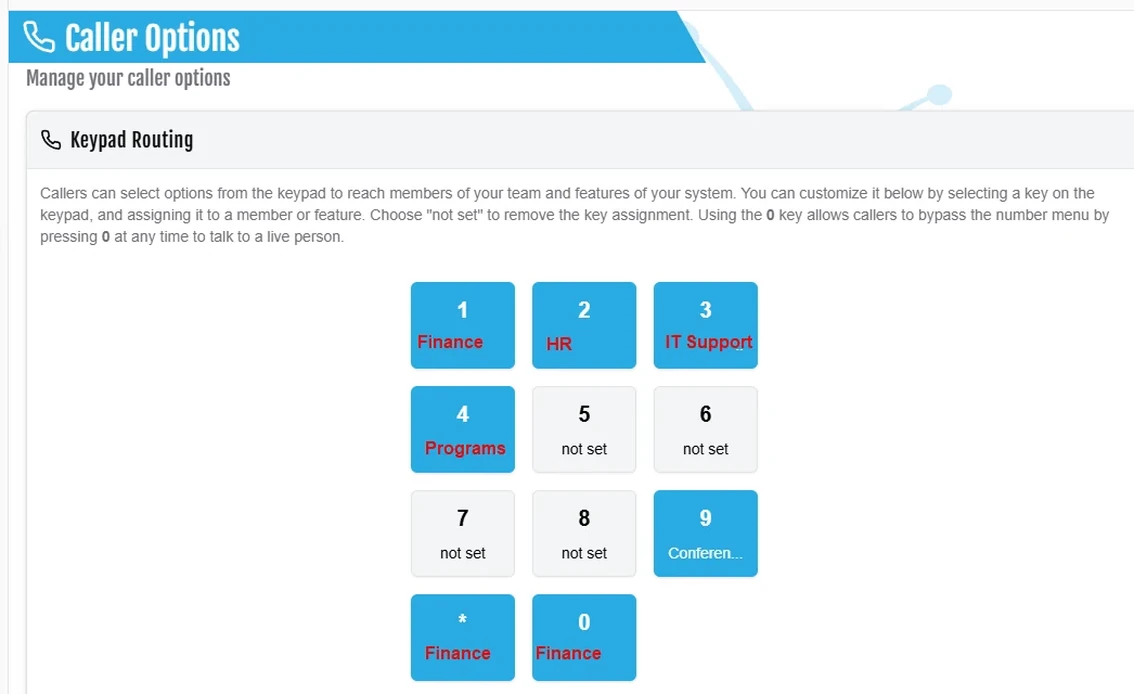
A caller presses 1 for Finance, 2 for HR, 3 for IT Support, 4 for Programs. Nine is conference calling. Zero and star both land on Finance, because a caller who presses nothing should still reach a person.
No desk phones. Everything runs on the mobiles people already carry, which is the decision that made the rest of it affordable.
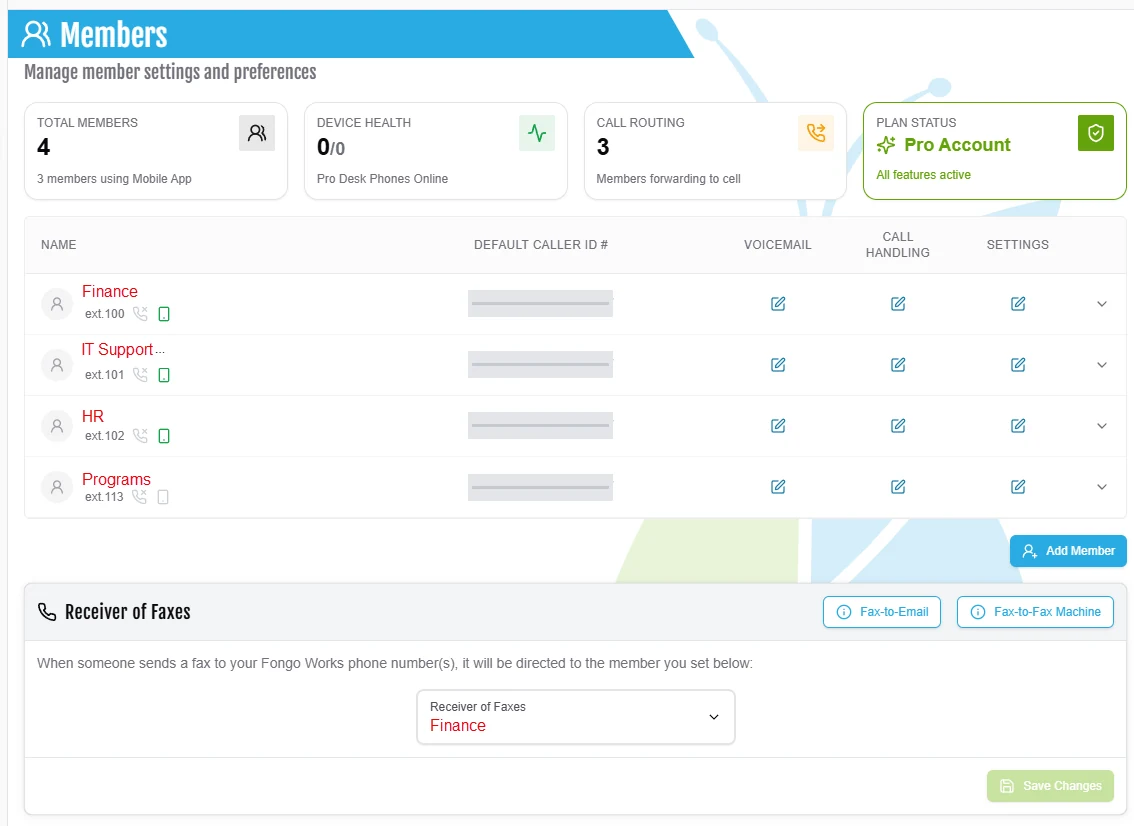
Three of the four forward to a cell when the app doesn’t pick up. Faxes go to Finance.
What it cost, three ways
Fongo’s prices below came off their own pages on 30 August 2026. They’re published without a currency marker. Fongo is in Waterloo, Ontario and takes Canadian Visa and Mastercard only, so read them as Canadian dollars and confirm at the till.
Free: $0. FongoWorks Free gets you a local number, Canada-wide calling, an automated receptionist greeting, up to six members, keypad routing, forwarding to a cellphone, conference calling, and voicemail emailed to you. There’s no trial limit. There is a dormant-account policy: 90 days with no calls, no credit balance and no subscription makes an account eligible for termination, so a free system nobody rings can quietly disappear. All-in, year one: $0.
Paid: $10 a month. Pro is charged per account rather than per extension, and Fongo’s own FAQ says it in those words. That’s the line that decides this whole comparison. It adds 15 extensions and beyond, texting, hunt groups, call logs, a desktop app, US calling, faxing, uploaded greetings, and the receptionist greeting schedule, which is the feature that changes the greeting at 7 p.m. without anyone remembering to. An extra local number is $2.50 a month. All-in, year one: $120, about $135.60 with Ontario HST.
Done for you: $60 to $300 to set up. That’s mine. Full disclosure: the done-for-you option here is my own service, and I’ve priced it beside the others so you can see where it stops being worth paying me. The range moves on how many members there are, whether the greeting is recorded or typed, and whether you’re porting a number or taking a new one. This one took two hours. There’s no monthly to me. They pay Fongo the $10 directly, which is how it should be. All-in, year one, at the top of my range: about $420 plus tax.
If you can follow the steps at the bottom of this page, do that instead and keep the $300. What you’re buying from me is the hour where the routing is wrong and you don’t know why.
Set that against $1,440 a year for four people on the enterprise version of the same job.
What changed
All of this is owner-reported. Nothing was being recorded before the install, so there’s no before-and-after call count to show you, and I’d rather say that than hand you a clean number nobody measured.
Callers told them, unprompted, that it was good to reach the right person quickly. That’s the feedback that came back through the programs.
Two things turned up that weren’t in the brief. Staff and volunteers can hold a conference call, including with people outside the organization, and they can receive a fax. The fax sounds quaint until you’re a non-profit dealing with an agency that still sends them.
It’s been running since 2023.
What I would do differently
They took a new number instead of porting the old one. That meant updating the Google Business Profile and the website, and it pushed the cost of the job up. FongoWorks will port a number in. The catch worth knowing first: once it’s ported, that number no longer works on the landline or mobile it came from, so a personal cell you’ve been using as the business line stops being a personal cell.
The music sounded like a dropped call. When a caller picked an extension, FongoWorks rang the app, then the mobile, then voicemail, and played music the whole time, with nothing to say what the music meant. I changed the greeting to warn callers they’d hear it while the call transferred. That should have been in on day one.
Home WiFi beat the app. A couple of volunteers on weak home connections had the app cutting out. Revised app settings sorted it, but I’d check that before going live now rather than after.
One thing I’d keep. A FongoWorks member doesn’t have to be a person holding a phone. Later on we added an AI receptionist for bookings and messages, and it went in as a member whose number was the AI receptionist’s line. FongoWorks doesn’t sell that; it was built for them, scoped and priced on its own, and it isn’t in the figures above.
Do it yourself this week
All of this runs on the free tier, and you’ll know by the end of it whether $10 a month fixes the rest.
- Sign up for FongoWorks Free and pick a local number. No card is asked for. Don’t port anything yet.
- Add your people as members, named by role rather than by person. Finance, Bookings, Service. Roles outlive volunteers.
- Set keypad routing so 1, 2 and 3 reach the departments people actually ring about, and point 0 at whoever catches a caller who presses nothing.
- Record or type the greeting. Name the organization, give the hours, say when someone will call back, and warn them they’ll hear music while the call transfers.
- Forward each member to their mobile after a few rings, so a missed app call still reaches a pocket.
- Ring it from another phone at 8 p.m. Press an extension, let it run to voicemail, check the voicemail reaches the inbox. Then ring again and press nothing.
Step six is the one people skip, and it’s where you find out that the greeting runs 40 seconds or that extension 3 rings a phone that’s been off since March.
Add Pro at $10 when you want the greeting to change on a schedule instead of you remembering at 7 p.m., or when you need more than six members.
Key takeaways
- The enterprise version of “the right person answers” runs about $1,440 a year for four people on RingCentral Core. FongoWorks Pro does the routing part of that job for $10 a month, charged per account.
- Name your members by department. Volunteers move on and the routing shouldn’t move with them. A member doesn’t even have to be a person.
- I charge $60 to $300 to install it and take nothing monthly. The steps above are the same steps, so if you can follow them you don’t need me.
- Nobody here was measuring calls beforehand, so what you’ve got is an owner’s impression and a system that does what the brief asked for. That’s the honest version.
Keep reading

Missed-Call Text-Back: What It Cost Me to Build, and What It Costs to Buy
I was trying to run my business while doing the receptionist's job and my own, and caring for my parents at the same time. Here's the missed-call text-back system I built for myself on Twilio, what it actually costs a month, and what the Canadian done-for-you versions charge.
Aug 26, 20266 min read
One tactic a week
Get the next one on Tuesday.
What the big guys do, the small-business version, what it costs, and how to have it running by Friday.